You can now use your
custom fields and values
directly inside Calendar related settings across Calendars, Services, and Rentals
to create more personalized appointment experiences.What’s new?
Previously, when configuring text-based settings like email/SMS templates, meeting locations, or appointment titles, the selector only showed predefined system custom fields (for example,
{{contact.name}}
or {{appointment.start_time}}
).With this update, your
user-created custom values
are now available in the selector for personalization and lead enrichment.What’s changed
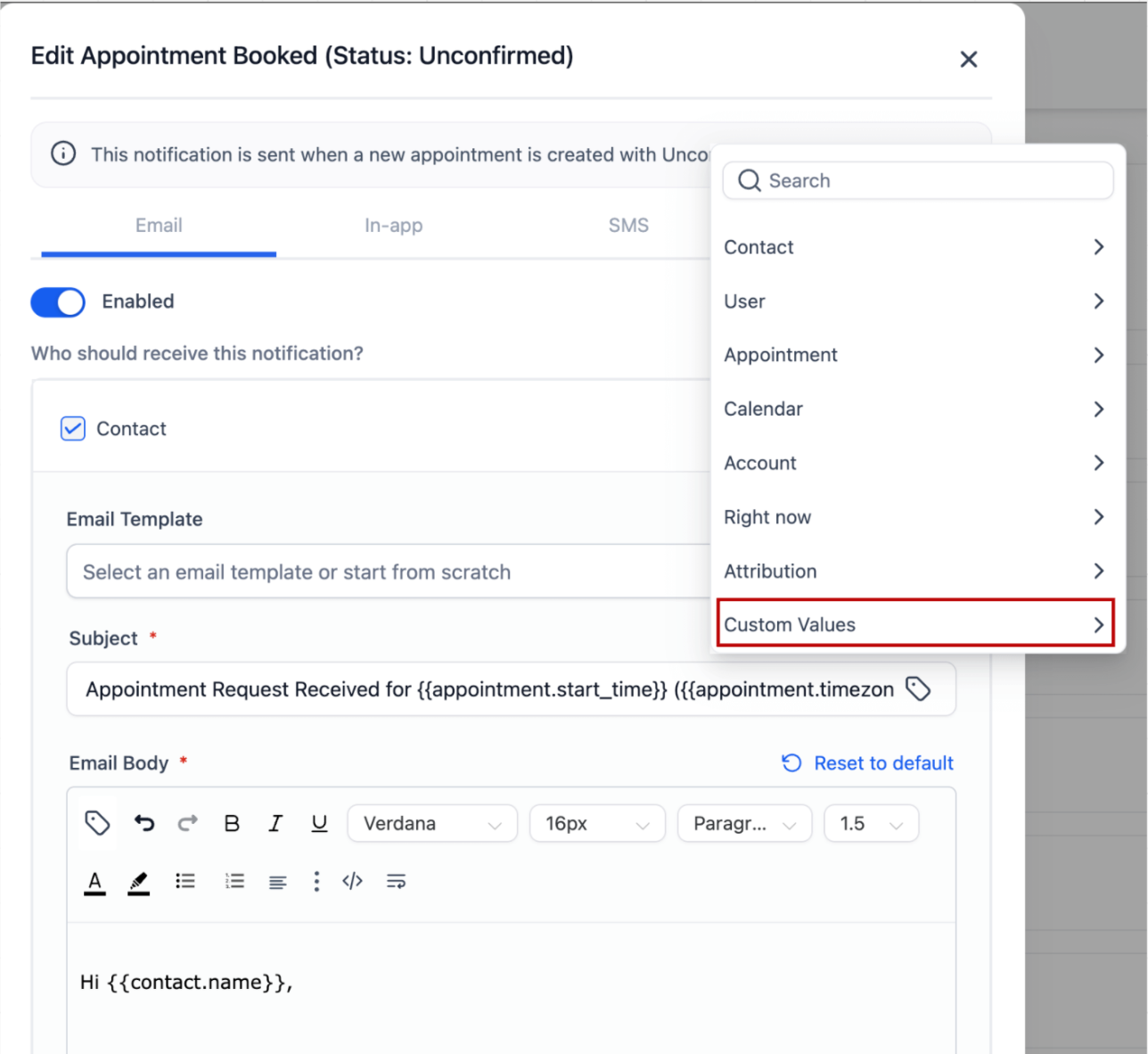
- A new “Custom Values”section is shown in the selector dropdown
- Custom values created at the account level now appear inside the custom value selector
- Use the search bar to quickly search for your desired value
Why it matters
- Personalize reminders, confirmations, and appointment details using your own data
- Maintain consistency across Calendars and other parts of the platform
- Faster setup without manual copy-pasting of custom values
This update gives you more flexibility and control over how appointment-related communication is personalized.
Was this article helpful?
That’s Great!
Thank you for your feedback
Sorry! We couldn't be helpful
Thank you for your feedback
Feedback sent
We appreciate your effort and will try to fix the article